fresh
Web: https://sinelaw.github.io/fresh/ (release)
Version
The following step creates $CEUADMIN/fresh/$version and goes there for installation, so only $CEUMODULES/fresh/$version is needed.
export version=$(curl -s https://api.github.com/repos/sinelaw/fresh/releases/latest | \
                 grep '"tag_name":' | head -n1 | cut -d '"' -f 4 | sed 's/^v//')
mkdir -p "$CEUADMIN/fresh/$version" && cd "$CEUADMIN/fresh/$version"
Pre-built binaries
The official syntax for download of the latest fresh-editor release is associated with x86_64-unknown-linux-gnu.tar.xz,
wget -qO- "$(
  curl -s https://api.github.com/repos/sinelaw/fresh/releases/latest \
  | grep '"browser_download_url"' \
  | grep 'x86_64-unknown-linux-gnu.tar.xz"' \
  | head -n1 \
  | cut -d '"' -f 4
)" | tar xJ --strip-components=1 -C . -f -
which requires higher version of GLIBC, so it is necesssary to get the static release
wget -qO- "$(
  curl -s https://api.github.com/repos/sinelaw/fresh/releases/latest \
  | grep '"browser_download_url"' \
  | grep 'x86_64-unknown-linux-musl.tar.gz"' \
  | head -n1 \
  | cut -d '"' -f 4
)" | tar -xzf - --strip-components=1 -C .
Some earlier versions has fresh-editor-no-plugins prefix. In both cases, an apparent permission issue is reported (module load
ceuadmin/fresh;which fresh; shows that fresh is not found) and fixed with chmod -R a+r fresh/0.1.42, so we get around with
--strip-components=1.
Compiling from source
This is preferable though slightly more involved.
version="$(curl -s https://api.github.com/repos/sinelaw/fresh/releases/latest | jq -r .tag_name | sed 's/^v//')"
wget -qO- https://github.com/sinelaw/fresh/archive/refs/tags/v${version}.tar.gz | \
tar fvxz -
cd fresh-${version}
module load ceuadmin/rust/nightly
export PREFIX=$CEUADMIN/fresh/${version}
mkdir -p "$PREFIX"
cargo build --release
cp target/release/fresh ${PREFIX}
# earlier version
# cargo install --path . --root "$PREFIX"
Environmental variables
Until 0.1.77, the following chunk has been used.
rsync -av plugins themes queries types config.example.json $PREFIX/
where module definitions use
setenv FRESH_HOME $root
setenv FRESH_PLUGINS_DIR $root/plugins
setenv FRESH_THEMES_DIR  $root/themes
setenv FRESH_QUERIES_DIR $root/queries
setenv FRESH_TYPES_DIR   $root/types
setenv FRESH_CONFIG $root/config.example.json
Usage notes
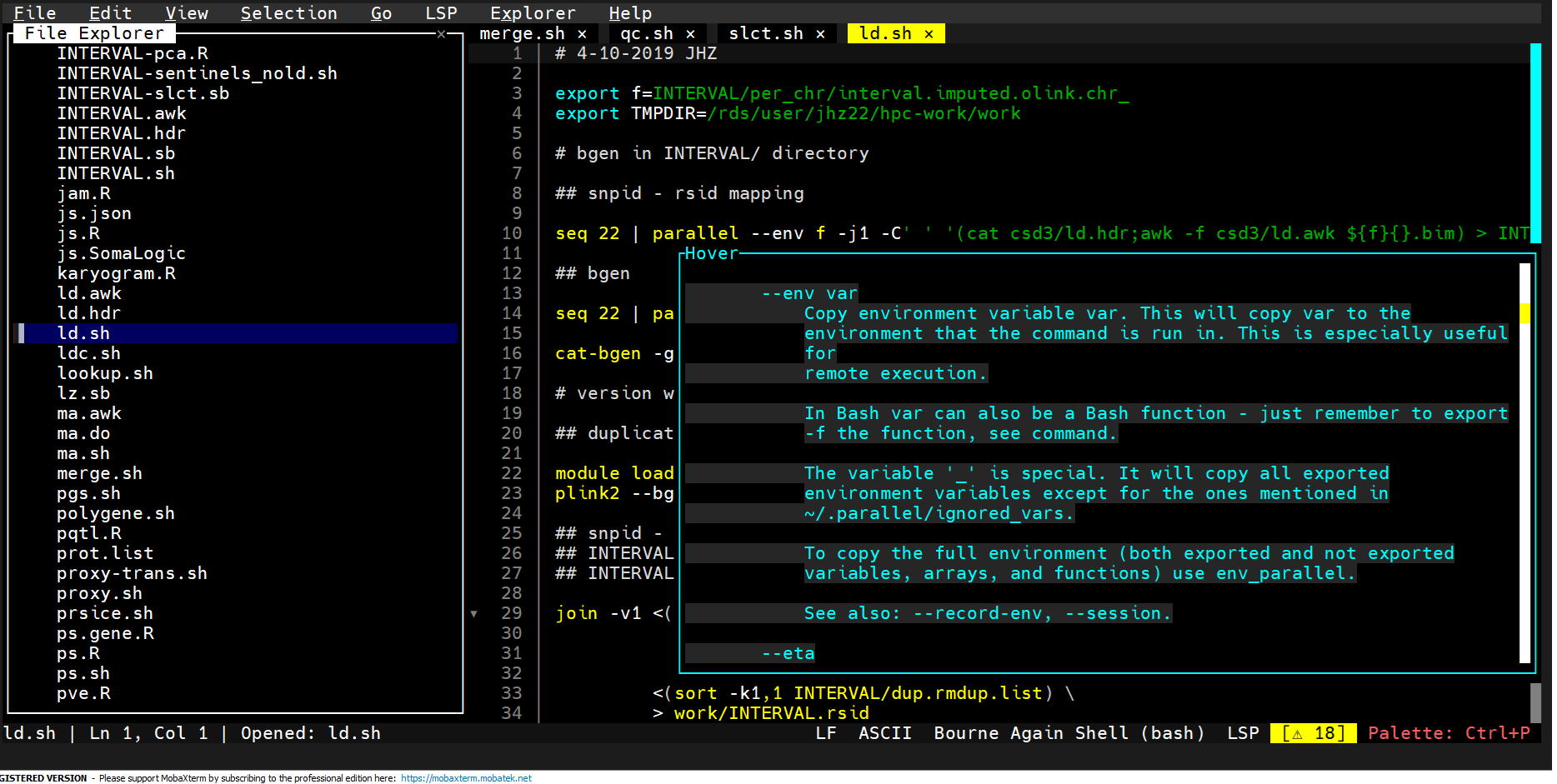
There are numerous features, such as mouse cursor to set position, Ctrl-E to open files from a directory tree (as in ceuadmin/edit), Ctrl-P to bring up the command panel, setting terminal display themes and key binding styles.
A LSP server for R is implemented as follows,
- Create ~/.config/fresh/settings.json
"r": {
  "command": "R",
  "args": "--slave -e languageserver::run()",
  "filetypes": ["r", "R"]
}
- module load ceuadmin/R ceuadmin/fresh
- fresh test.r
LSP–>Restart Server–>Show Completionsand put cursor on a key word (Show Hover Info).
giving 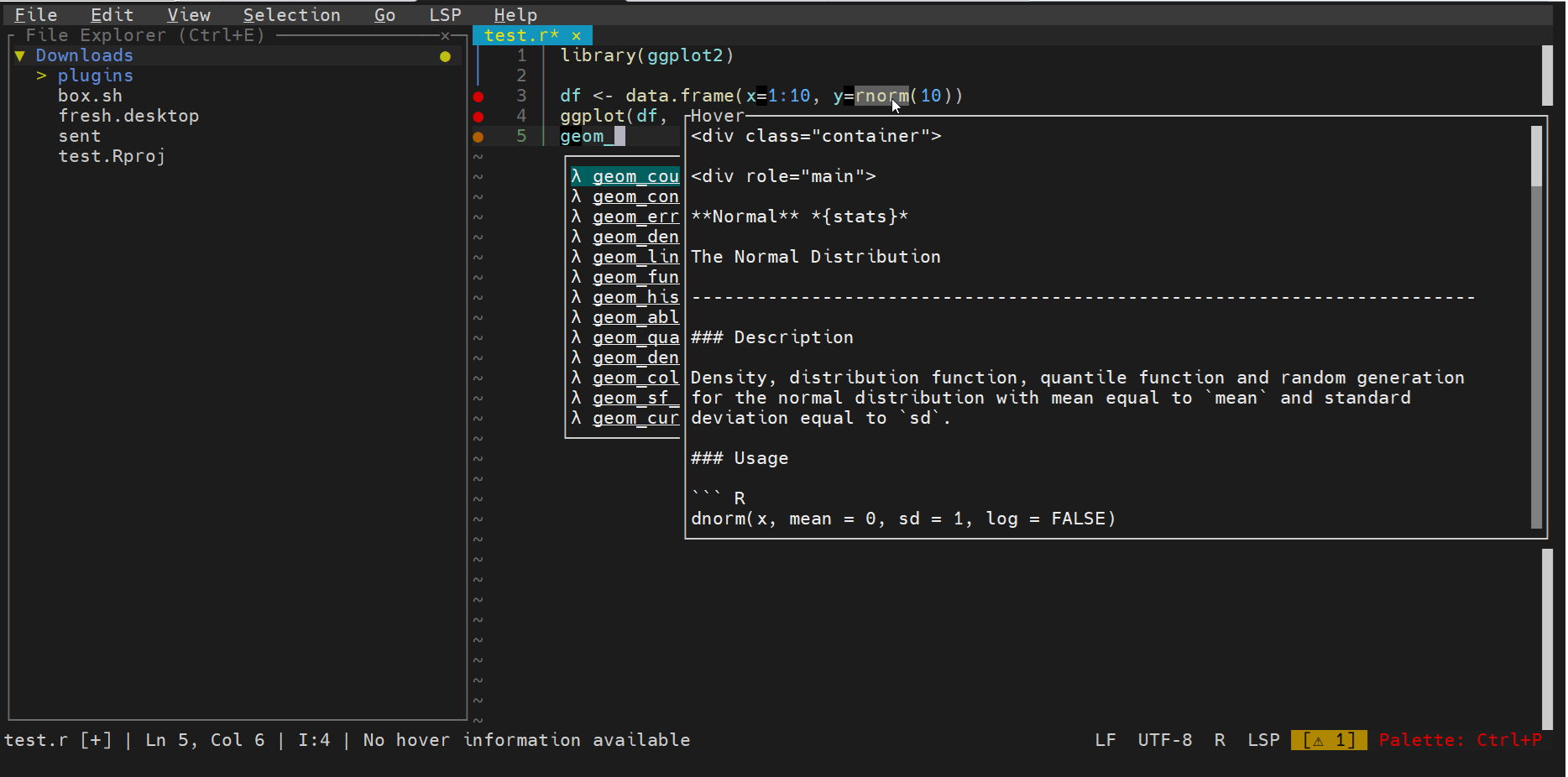
Simiarly, we make bash-language-server as well as markdown-language-server available so ~/.config/settings.json becomes,
{
  "marksman": {
    "command": "marksman",
    "filetypes": ["md", "markdown"]
  },

  "r": {
    "command": "R",
    "args": ["--slave", "-e", "languageserver::run()"],
    "filetypes": ["r", "R"]
  },

  "bash": {
    "command": "bash-language-server",
    "args": ["start"],
    "filetypes": ["sh", "bash"]
  }
}
giving